Module Overview

The Request for Quotation Module makes it easy to get up-to-date pricing and encourages competition between your suppliers so that you get the best possible deal.
It’s fast and easy to create new RFQs in SpendMap and, once you receive the bids and pick a supplier, you can convert/flip the RFQ into one or more Purchase Orders, with no duplicate data entry.
There’s even a handy Supplier Portal where your suppliers can respond to your RFQs and enter their pricing for you online.
Key Features
•Create RFQs with a few clicks of a mouse or copy existing RFQs or RFQ Templates to save even more time. 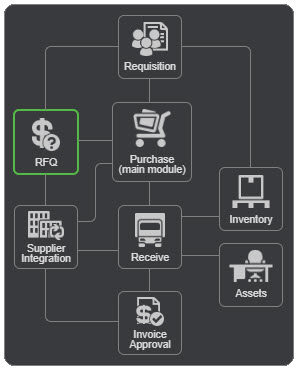
•Automatically build RFQs from approved Requisitions.
•Customizable RFQ form with your company logo.
•Print or email RFQs to your suppliers directly from the system, or invite suppliers to your private Supplier Portal where they can review their RFQs and submit their pricing online.
•Award entire RFQ to a single supplier or split RFQs between multiple suppliers.
•Automatically build Purchase Orders or Requisitions from awarded RFQs with no duplicate data entry.
•Automatically update Item Master File pricing based on awarded RFQs, and retain supplier bid history for reference/audit purposes.