PURCHASING > Purchase Orders > Modify a processed PO >
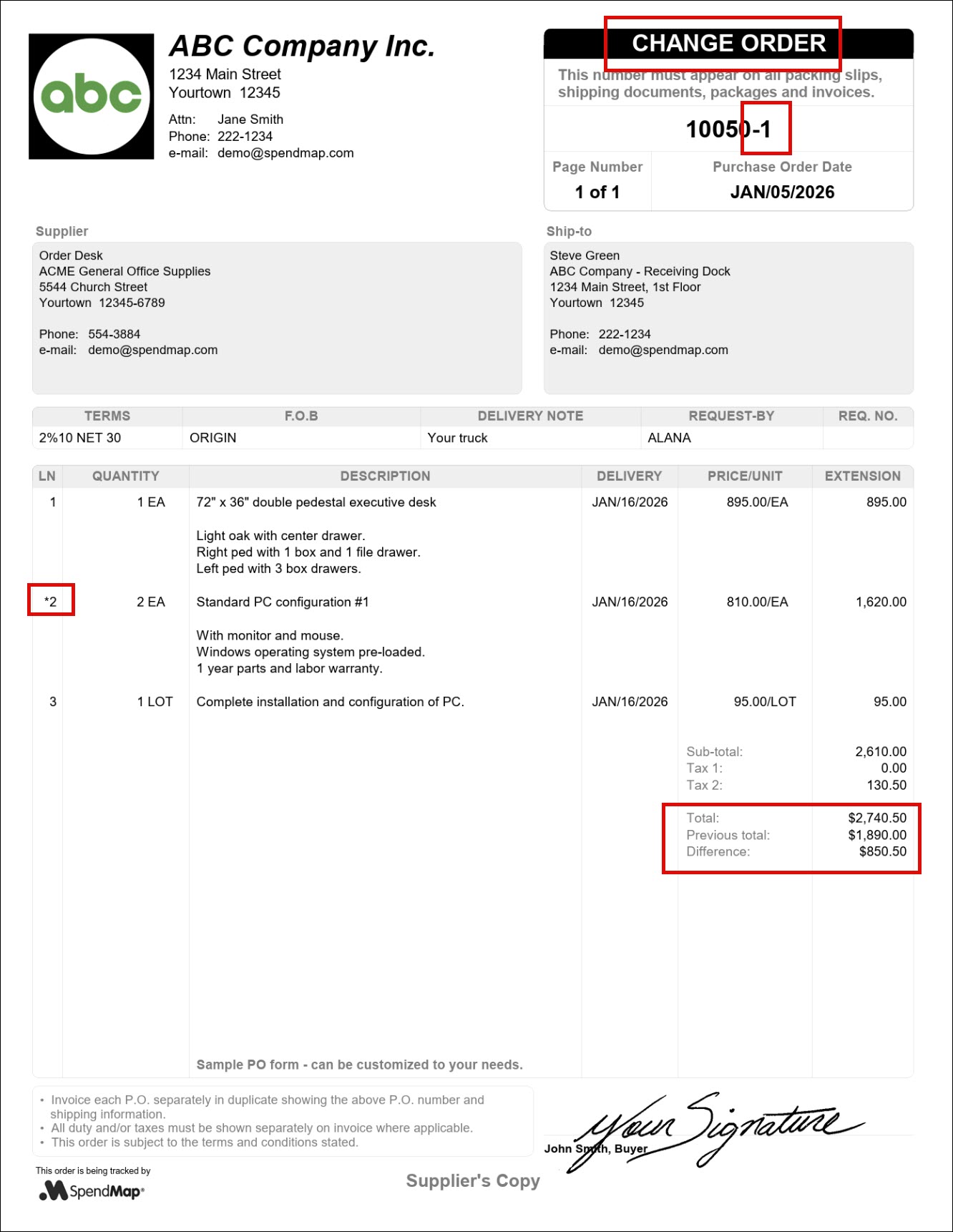
When you modify a Purchase Order that you have already processed and sent to the supplier, it is called a “Change Order”.
SpendMap includes a number of features to keep track of changes made to processed Purchase Orders for audit purposes and to ensure that your suppliers are kept up to date on changes that affect them.
While PO forms in SpendMap can be customized, most Change Order forms include a different title (e.g. Change Order vs. Purchase Order), and indication of which line items have changed, a revision number (e.g. PO 12345-1, 12345-2, etc.), and a summary of the how the changes affected the value of the order, in the Totals section. See sample Change Order form to the right...
SpendMap includes two utilities for processing Change Orders, 1) Simple PO Modification and 2) Advanced PO Modification. As the names suggest, one utility provides additional functionality (but has more steps) than the other. You can use either or both, depending on your functional needs.
The use of the Receiving Module is a prerequisite to processing Change Orders. If you are not using Receiving, you will not be concerned with impacting transactions that come after the PO is processed (e.g. receipts, invoices, etc.), so you can just cancel the PO and reload it into your PO Work Area if you want to make changes, then re-process it (with the same PO number, if needed).
 Online approval of Change Orders
Printing/Processing Change Orders
Effect on past (already processed) transactions related to the Purchase Order
Other areas that affect processed Purchase Orders